This method is used to retrieve the various filter types that can be used in getPackageTrackingsIds and getPackageTrackingIds since.
Description
The filter field is a “:” delimited string which defines the types of status messages to be included. For example, to include all signed and rejected packages you could use SIGNED:REJECTED as the filter.
As the product evolves, so do the number of possible status events. This call was introduced as an aid to system developers in that it returns the list of possible filters and includes a descriptive text explain the filter function.
The SDXDemo application has been modified to use this new call, as shown below.
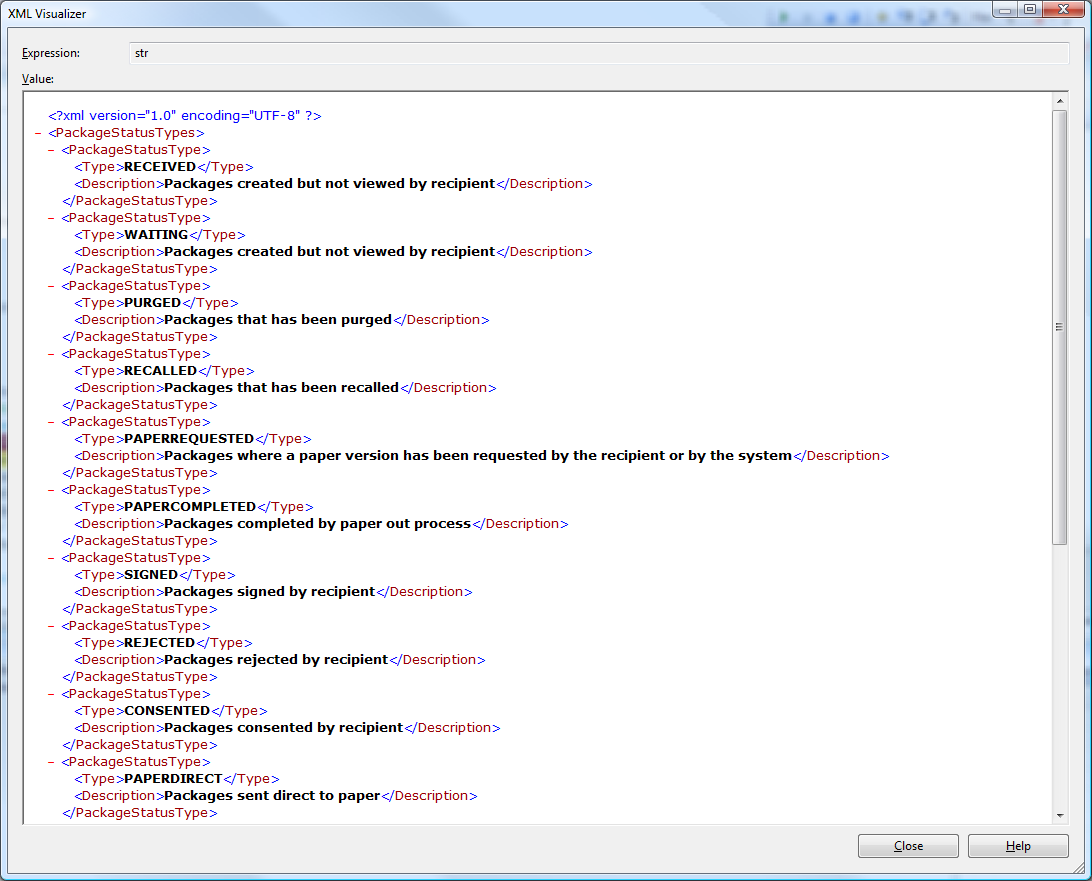
The current list of filters is included below but this list is subject to change over time. However, filters are NOT removed.
- RECEIVED - Packages created but not viewed by recipient
- WAITING - Packages created but not viewed by recipient
- PURGED - Packages that has been purged
- RECALLED - Packages that has been recalled
- PAPERREQUESTED - Packages where a paper version has been requested by the recipient or by the system
- PAPERCOMPLETED - Packages completed by paper out process
- SIGNED - Packages signed by recipient
- REJECTED - Packages rejected by recipient
- CONSENTED - Packages consented by recipient
- PAPERDIRECT - Packages sent direct to paper
- PAPERNOTE - Packages with a paper note date set
- ALL - Packages received including those purged and recalled
- OPEN - Packages received excluding those purged and recalled
- VIEWED - Packages viewed by recipient
- EDISCLOSURES - Packages signed, rejected, consented, paper requested, sent direct to paper, or paper completed
- DISCLOSURECOMPLETE - Packages consented or paper completed by recipient
Request Paramters
| Parameter | Type | Requirement | Description |
|---|---|---|---|
| username | xsd:string | mandatory – cannot be null or empty | The username of the registered user who sent the package |
| password | xsd:string | mandatory – cannot be null or empty | The password of the registered user who sent the package |
| encodedPassword | xsd:boolean | optional – can be null (indicates false) | Indicates whether the password parameter is MD5 encoded |
Response
- Type: xsd:stringPossible return values: An xml string – will take the form of
<PackageStatusTypes>
 <PackageStatusType>
 <Type>FILTERVALUE</Type>
 <Description>Filter description</Description>
 </PackageStatusType>
</PackageStatusTypes>
An example is shown below.
- “ERROR” - an error occurred. This will be followed by a description of the error (e.g. ERROR : Bad username)
