To modify the settings, such as formatting, number of views, and read
receipts, click Settings on the navigation menu. The User Settings screen
appears.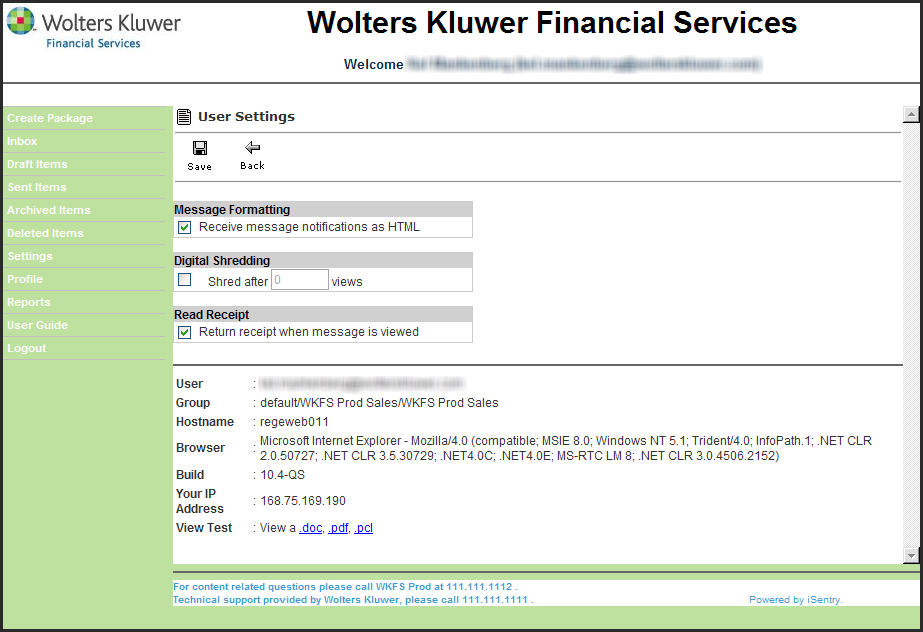
Message Formatting - To receive message notifications in HTML, which allows for branded notifications, select the Receive message notifications as HTML check box.
Digital Shredding - To limit the number of instances that a message is viewed, select the Shred after __ views check box and enter the maximum number of viewing instances in the number field. 0 (zero) indicates unlimited views.
Read Receipt - To receive a notification each time a recipient views a message, select the Return receipt when message is viewed check box.
Click the Save button to retain any changes made to the settings.