To reply using the fax reply functionality:
-
Click the Fax Reply button at the top of the inbox.
-
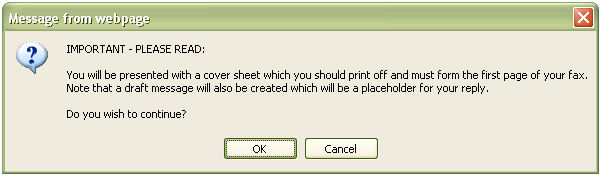
A message regarding the cover sheet will display. Click OK to
continue.
-
A fax reply cover page will display, similar to the one shown below. Use the
cover page as the first page for the documents faced back via a fax machine to
the central SDX fax number printed on the cover page.
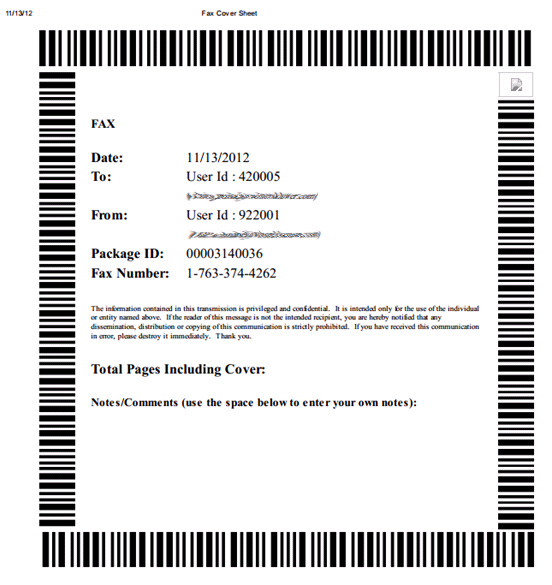
Note: SDX does not have built-in fax functionality. A fax machine must be used
manually. The cover page has to be ordered as the first page of the pages
faxed to SDX. The fax number is a SDX system number.

-
When the fax is received by SDX, SDX sends the Fax Reply package electronically
and securely to the sender of the original package. The recipient receives an
email notification that the Fax Reply package has been submitted. The sender
receives an email notification that the Fax Reply package has been sent to
him/her.
-
The original sender can use the link in the email notification to log into SDX
and retrieve the Fax Reply package.
Note: The Faxed Reply coverpage may only be used one time. If another fax reply
needs to be sent a new cover page needs to be printed.