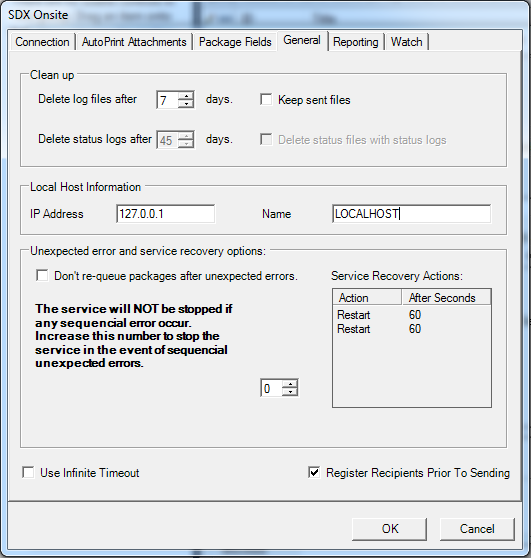
The following table describes the features of the General tab.
| Feature | Description |
|---|---|
| Clean Up | |
| Delete log files after | Allows you to set the number days after which the service log files are deleted. |
| Keep sent files | Allows you to keep a copy of successfully sent files. |
| Delete status logs after | Allows you to set the number of days after which the package status log files
are to be deleted. Note: SDX-Onsite uses the status
.log files to determine if it needs to request status files for a particular
package. If these files are deleted before the package has been purged from SDX,
then SDX-Onsite may
re-request it.
|
| Delete status files with status logs | Deletes the status files when the status log files are deleted. Set this option if your internal processes do not delete these files. |
| Local Host Information | |
| IP Address | Displays the IP Address of the local machine |
| Name | Displays the name of the local machine |
| Unexpected error and service recovery options | |
| Don't re-queue packages after unexpected errors | If SDX-Onsite detects an error at the SDX end, it automatically tries to resend the package unless this option is selected. |
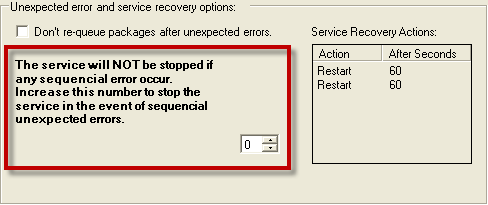
| This service... |
Setting the number in the list (0-100) indicates the server will be stopped after that amount of sequencial errors. A setting of 0 (zero) indicates the service will not stop if any errors occur. |
| Use Infinite Timeout | Select this option if your proxy servers and network connections require it when submitting large files. |
| Register Recipients Prior To Sending | This option is selected by default; it enables Onsite to register users prior to submitting packages. Uncheck the box for customers who use the first and last name metadata configuration in the Admin site. |