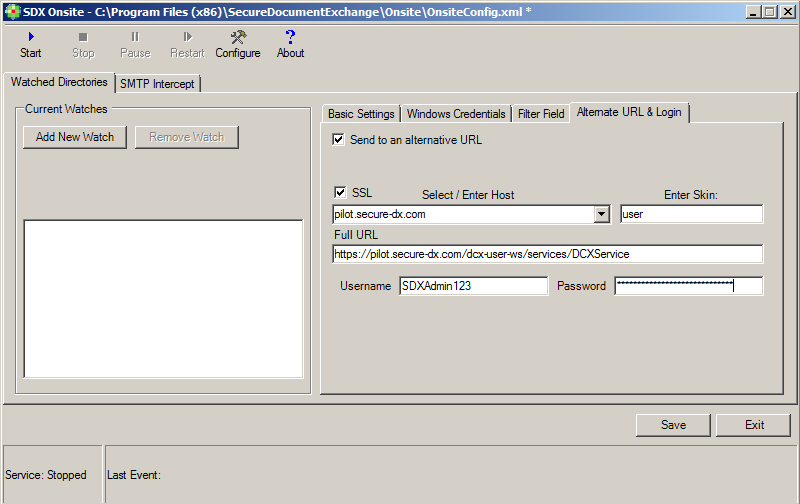
Use this tab to associate a watch folder with a secondary skin within SDX. Select Send to an alternative URL to enable the functionality, then enter the alternate skin URL details, including the username and password. Note: All files dropped into the folder are subject to the same configuration rules as defined on the “Config” screens; however, the files are sent to the alternative skin using the settings defined on this tab. This alternative skin allows a single SDX Onsite system to distribute files to multiple related sites; therefore, this setting is intended only for users for use by clients with the need for multiple sites, for example: a company with different brands within the same organization.