Submitting a Package into SDX
Via Web Services
When a package is submitted into SDX via Web Services, the calling system receives a valid tracking ID from SDX only when the package has been successfully been submitted into SDX.
If a tracking ID is not received by the calling system, the package has not been successfully submitted into SDX.
For example

Via Web Interface
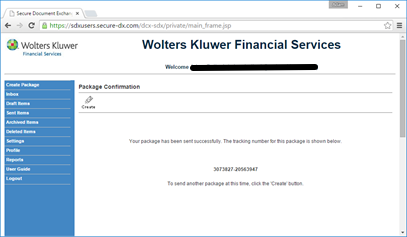
When a package is sent from SDX’s Web UI, the user receives a valid tracking ID. When the package has been sent successfully, the user receives and a message sent from SDX informing them that their package has been successfully submitted.
If a tracking ID is not received by the calling system, the package has not been successfully submitted into SDX.
For example
Via SDX Capture
SDX Capture uses SDX’s Web Services to communicate with SDX. This means that the same rules apply as above in Submitting a package into SDX via Web Services. SDX Capture displays this information at the bottom of the SDX Capture screen.
If a tracking ID is not received by the calling system, the package has not been successfully submitted into SDX.
For example

Via SDX Onsite
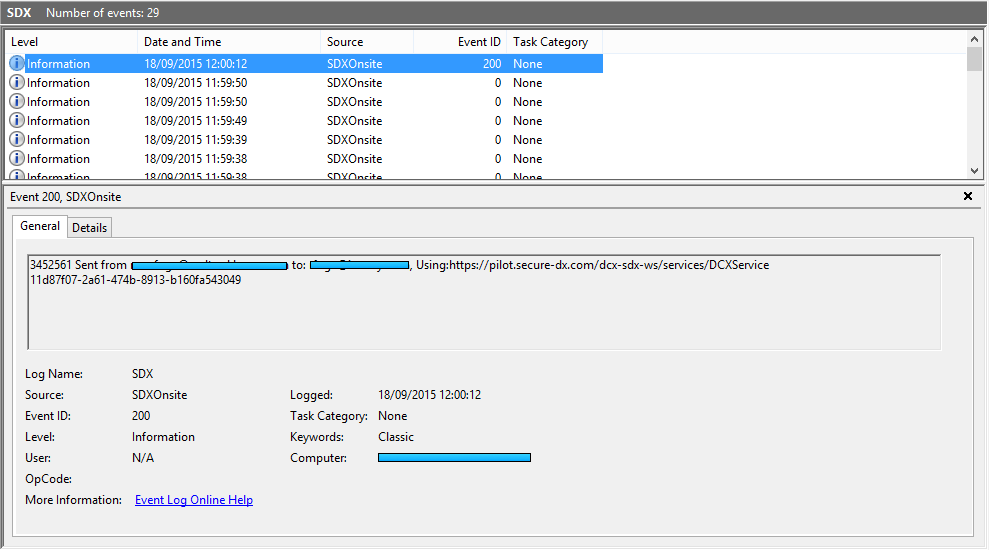
SDX Onsite uses SDX’s Web Services to communicate with SDX. This means that the same rules apply as above in Submitting a package into SDX via Web Services. SDX Onsite will keep a record of this information in the Microsoft Event Viewer.
If a tracking ID is not received by the calling system then the package has not been successfully submitted into SDX.
For example
Confirming a Package has been Submitted
Reviewing Sent Items
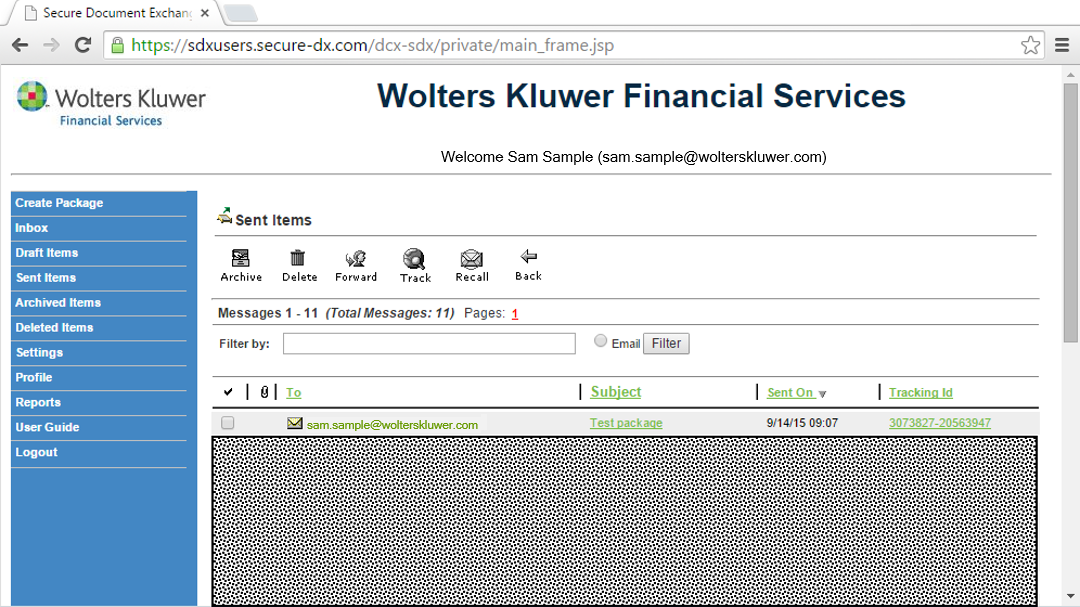
Log into the SDX User Site and click the Sent Items menu item on the left hand menu.
For example
Admin Site
Tracking
Log into the SDX Admin Site, click Tracking on the left hand menu, enter in the tracking ID that SDX provided when the package was submitted into SDX, click Find, then click the package ID that matches the one you are searching for.
User Report
Log into the SDX Admin Site, enter the user's details into the Search for: field on the Welcome page and click Find. Then, select the user you wish to review and select Received or Sent. Then click Track to view the packages sent/received for the selected user.
Troubleshooting and Help
For questions and additional support, please contact the WKFS SupportLine:
Phone: 800-529-1582 Option 2
Email: sdxsupport@wolterskluwer.com
Some helpful troubleshooting information for when you contact us:
- Detail of any error messages you have received
- Date/time you attempted to submit your package
- Which SDX platform are you sending from (i.e., SDX Capture, SDX Onsite, Web Services or ComplianceOne Interface)
- Have you confirmed Internet connectivity?
