To create an SDX Capture desktop icon in Windows 7:
- Minimize all open applications to expose the Windows Desktop.
- Click .
-
Right-click the SDXCapture icon and drag it to the Desktop.
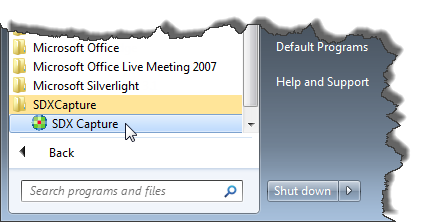
-
Release the mouse button to show the context menu.
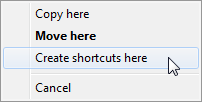
- Click Create shortcuts here. The shortcut is placed on your Desktop.