By default, track change functionality is automatically enabled when launching Oxygen. This procedure explains how to disable the track change functionality in Oxygen without hiding the track change buttons, thus ensuring that track change functionality is still available.
Tracking changes
By default, the track change functionality is enabled (Track Changes, Accept Changes, Reject Changes, etc).
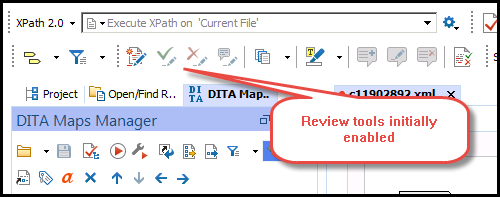
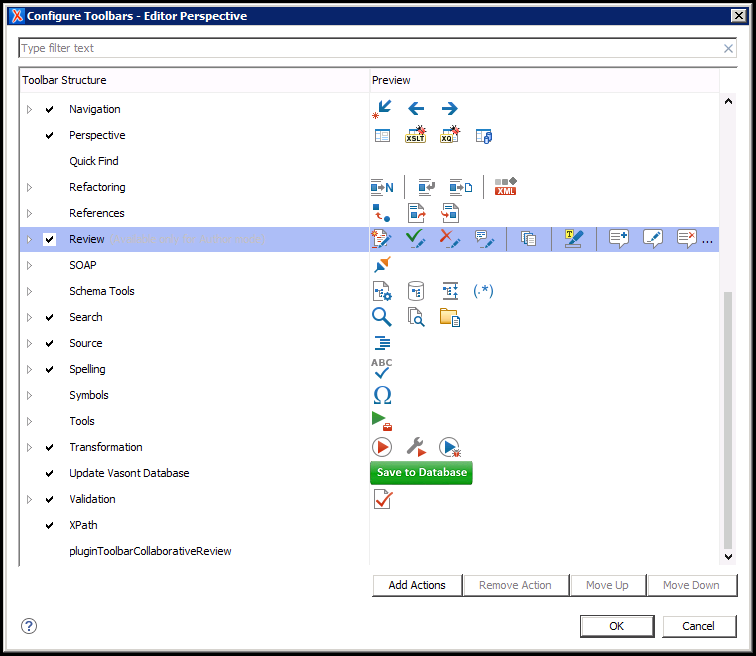
NOTE: You can display/hide the track change functionality through the Configure Toolbars option, available by right-clicking anywhere on the Oxygen toolbar and selecting Review.
Step-by-step guide
To disable this perform the following:
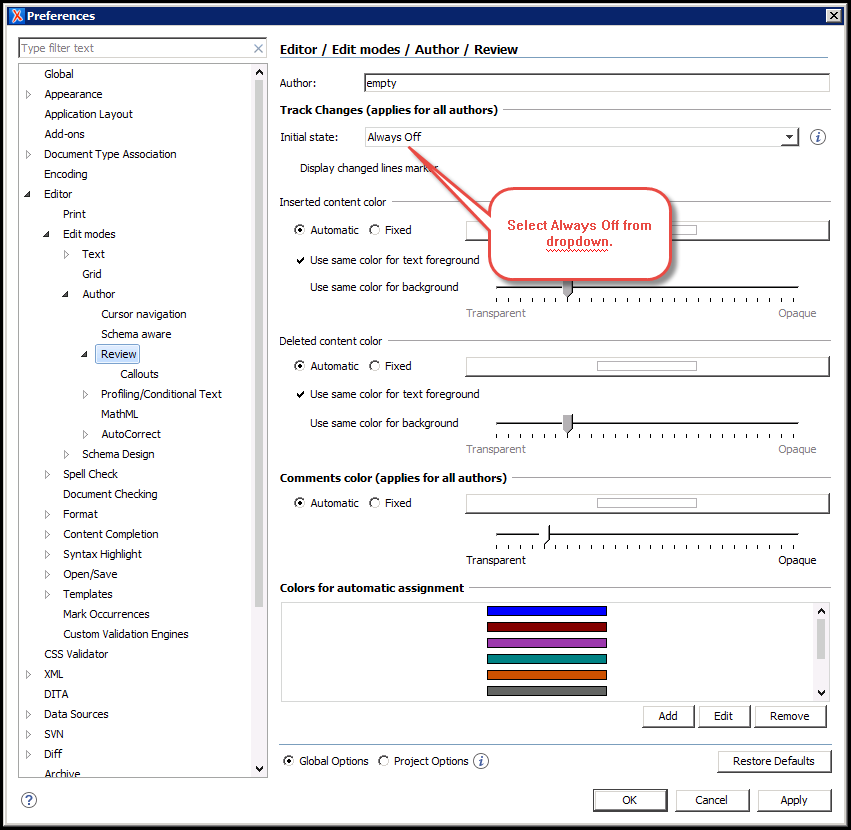
- In Oxygen, click Options / Preferences.
- In Editor / Edit Modes / Author / Review, select Always Off in the Initial state: dropdown. To activate this functionality change, save, close, and reopen any topics you had open in Oxygen.
Related articles
Attachments:
 oxygen-review-tools-enabled.png (image/png)
Options-pref-review-dropdown.png (image/png)
oxygen-review-tools-enabled.png (image/png)
Options-pref-review-dropdown.png (image/png)
 Config-toolbar-Review.png (image/png)
