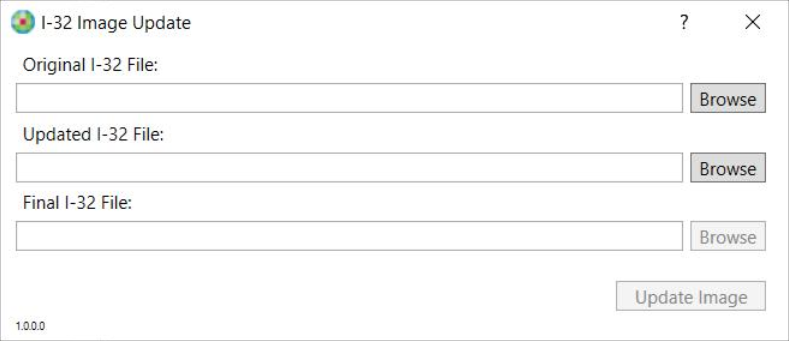
is an application that allows you to update a .UFX or .SFX formatted image. This is accomplished by combining the fields from the original UFX/SFX file and the background from the updated UFX/SFX file into a completely new final file.

   Using

  1. Select the Original UFX or SFX file by clicking the Browse button next to the Original UFX/SFX File text box.

    This file should contain the various fields to be used in the final file.

  2. Select the Updated UFX or SFX file by clicking the Browse button next to the Updated UFX/SFX File text box.

    This file should contain the background for the final file.

  3. Set the Final UFX or SFX file by clicking the Browse button next to the Final UFX/SFX File text box.

    Provide the location and a file name.

  4. Select the Update Image button to save your new file.
   Frequently Ask Questions

Currently, I-32 Image Update supports .UFX and .SFX file formats.

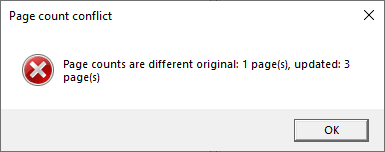
Issue: If you receive this error message, the number of pages within the Original UFX file and the Updated UFX file do not match.

Solution: Verify that the Original UFX file and the Updated UFX file have the same number of pages.