OPPSA Merge Product Data
This section explains how to use the OPPSA Merge Product Data action from the SERVICES page.
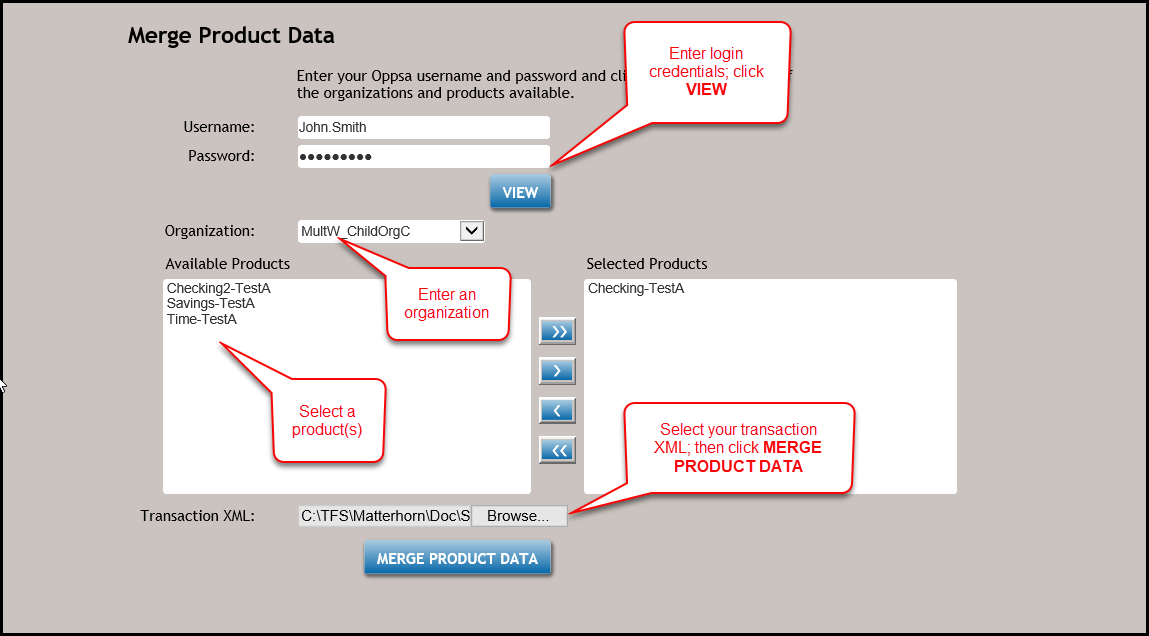
- From the SERVICES page, select OPPSA Merge Product Data.
- From the Merge Product Data page, enter your Username and Password. Click View to display your licensed organization and product.
- Select an Organization from the corresponding dropdowns to populate the list of Available Products.
- From the list of Available Products, use the >> or > arrows to transfer products to the Selected Products list.
- Click the Choose File button to select your transaction .xml file.
- Click the MERGE PRODUCT DATA button to download the merged product xml file.