-
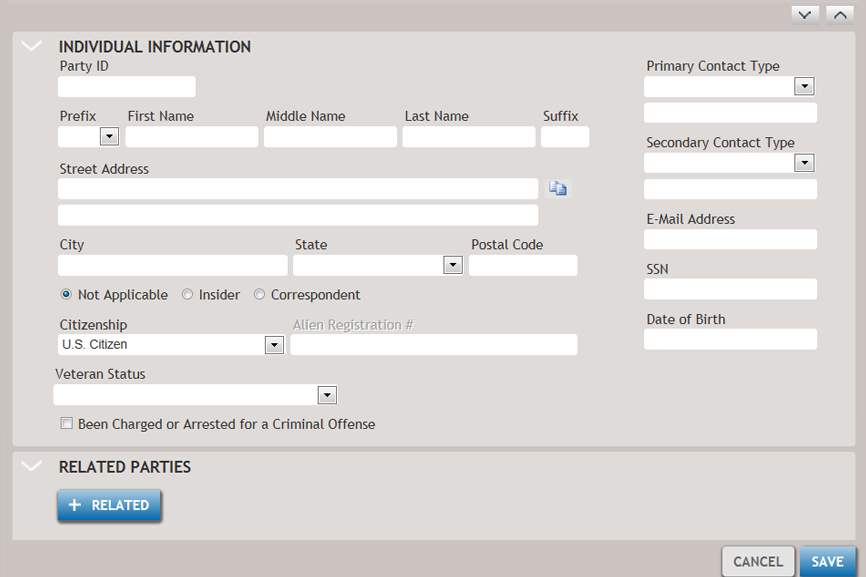
Click +INDIVIDUAL. The Create Party screen is displayed.
-
Enter as much information on the new party as possible.
Party Information:
Copy button - Use this button,
 , to copy an
address from another party record. After clicking this button, you
can search on the list of existing parties using a search box or
increase the number of entries to display and scroll through the
list.
, to copy an
address from another party record. After clicking this button, you
can search on the list of existing parties using a search box or
increase the number of entries to display and scroll through the
list.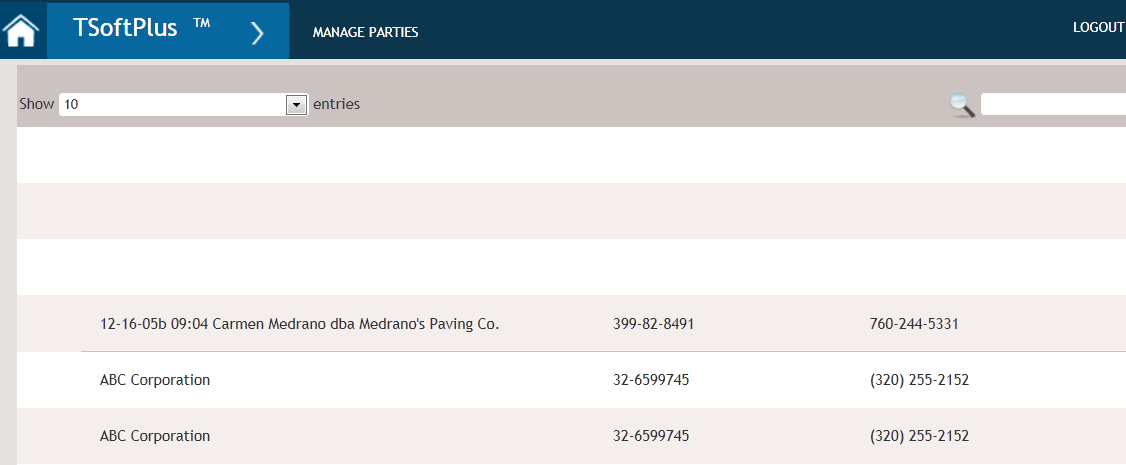
-
SSN: Social Security Number. A business needs an EIN in order to pay employees and to file business tax returns. To be considered a Partnership, LLC, Corporation, S Corporation, Non-profit, etc a business must obtain an EIN. Those business that do not are considered proprietorships and the Owner / Operator SSN is used on any tax documents. Field has mask for format of SSN with dashes.
Note: The system does not prevent creating multiple parties with the same SSN. - Expand and collapse sections of the screen using
 and
and  .
.