The Parties screen allows you to select the Plan Type and add individuals for a new account.
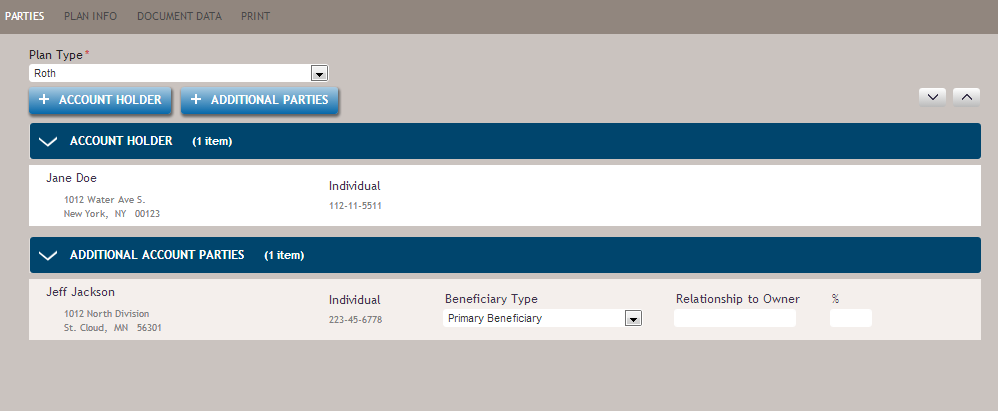
The following table describes some of the features of the Parties screen.
| Feature | Description |
|---|---|
| Plan Type (required) | Allows you to select the type of plan for this transaction. The options within this
list include:
Note:
|
 |
Allows you to assign a primary party as the Account Holder. |
 |
Allows you to select a primary or contingent beneficiary to be associated with the transaction. |
| Account Holder | Displays the party associated as the primary account holder. You can remove this party
by hovering over the party entry and clicking the Delete button. |
| Additional Account Parties | Displays any additional parties associated with the account. Multiple additional
parties are permissible. Each entry allows you to select the Beneficiary Type and Relationship of the party to the account holder. You can remove this party by hovering over the party entry and clicking the Delete button. |