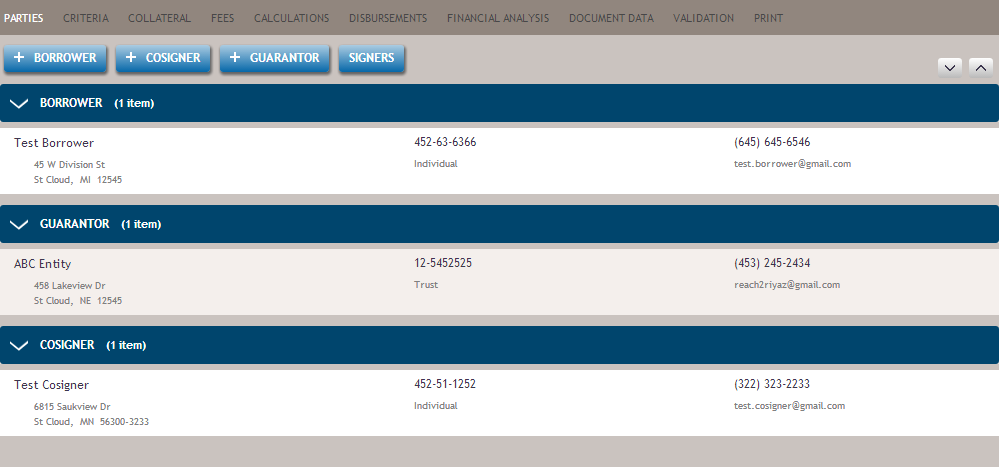
The Parties screen allows you to associate Borrowers, Cosigners, Guarantors and Signers to the transaction.
| Features | Description |
|---|---|
 |
Allows you to add one or more borrowers to the transaction. |
 |
Allows you to add one or more cosigners to the transaction. |
 |
Allows you to add one or more guarantors to the transaction. |
 (not shown) |
Allows you to add one or more sole proprietors to the transaction. See also:
|
 |
Allows you to select who will be signing for the transaction on behalf of an
Entity. See also:
|
| Borrower section | Displays all borrowers associated with the transaction. |
| Guarantor section | Displays all guarantors associated with the transaction |
| Cosigner section | Displays all cosigners associated with the transaction |
| Search (not shown) |
Allows you to search for a specific party. See also:
|