The Manage Existing Loans screen allows you to view and modify loan transactions currently in the system.
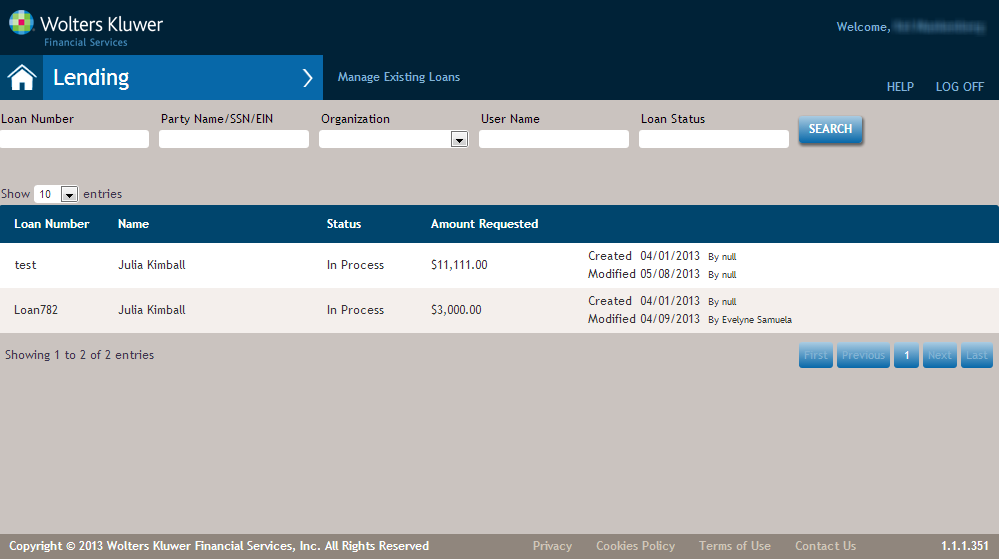
Note: If your user account is assigned multiple products, transactions from each will appear
together in this screen.
| Feature | Description |
|---|---|
| Filters | The filters at the top of the screen allow you to filter all transactions based on
your selection. These include:
Enter your criteria and click Search. |
| Show (10) Entries | The default number of transactions to show on the page is 10. If you select a
different value, the number of selected transactions will be displayed until you select
another value or log out. Note: This setting impacts both the party list and transaction
list.
|
| Transaction Entries |
Hovering over a transaction highlights the entry and displays a context menu, providing a
way to display, delete or copy the transaction. The default page number for any list is page one. When in Party
Management (not within a transaction) a user pages through the party list, and the page
number is retained.
|

