Clicking ELIGIBILITY from the submenu displays the Loan Eligibility screen.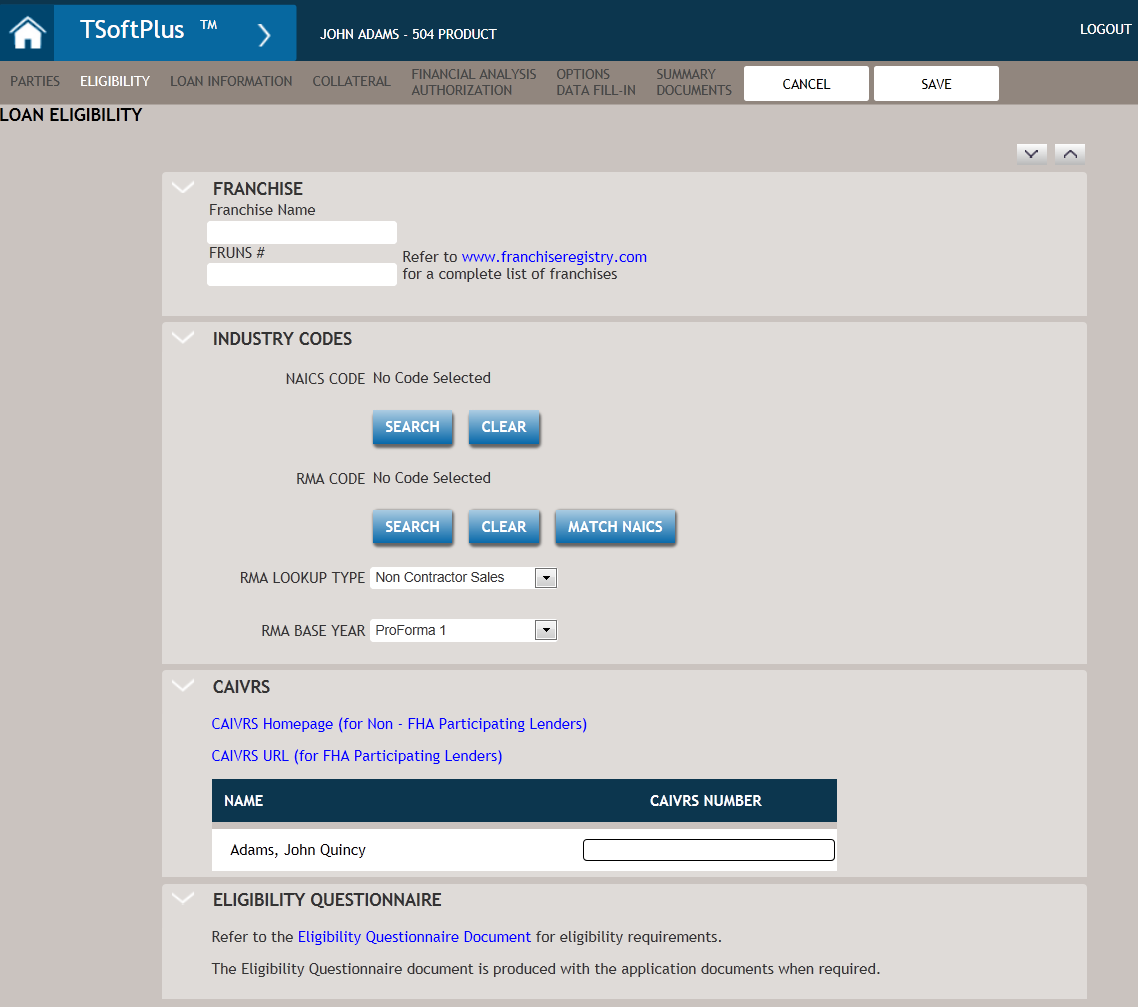
The following table describes the features of the Eligibility Screen.
| Feature | Description |
|---|---|
| Franchise | Displays the name of the franchise you enter as well as the FRUNS
#. Both fields are initially blank. You can click the provided link: www.franchiseregistry.com to go directly to the Franchise Registry website. From there you can search to see if the borrower's franchise is part of the registry. If it is on the list, you can copy and paste the information (using Ctrl+C and Ctrl+V) directly into the Franchise Name and FRUNS # fields. |
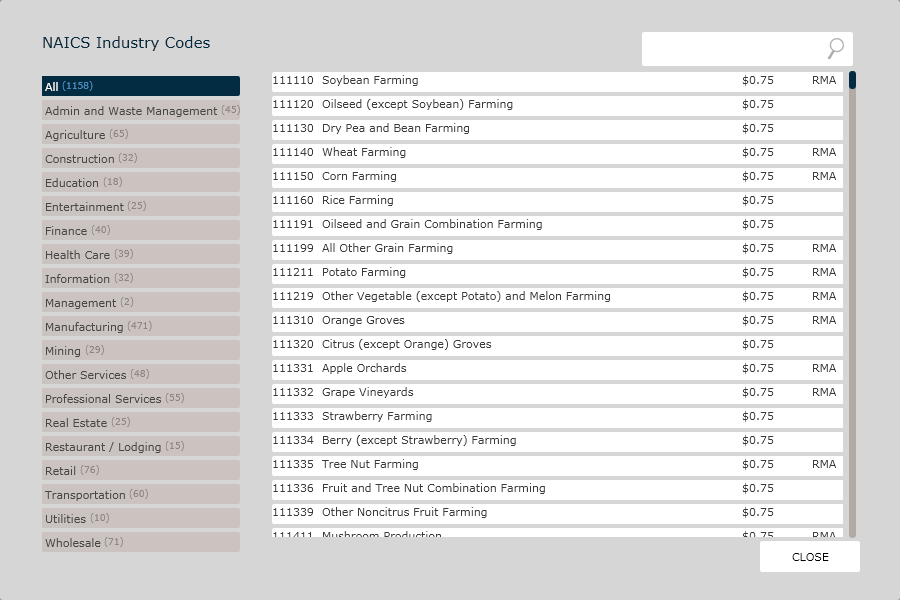
| Industry Codes | Allows you to indicate the following types of industry codes:
|
| Industry Codes (cont'd) |
Note: The first time the Financial Analysis spreadsheets are opened,
there will be 0 for Assets and 0 for Sales, so it will use the
RMA data from the 0 – xxx,xxx record. In order to update the
Financial Analysis spreadsheets with the RMA data applicable to
your specific Assets or Sales amounts, values need to be entered
in the appropriate Assets or Sales cells in the spreadsheet.
Then you must save, close and then re-open the spreadsheet. This
triggers the correct RMA data to populate based on your entered
Assets or Sales amounts.
|
| CAIVRS |
Clicking the first link, CAIVRS Homepage (for Non - FHA Participating Lenders) displays the HUD website, allowing you to obtain CAIVRS numbers. The second link, CAIVRS URL (for FHA Participating Lenders) opens a new window and displays the FHA Connection site. There you can request a User ID and access to CAIVRS. The Name column is automatically populated with the names of any parties for the transaction: borrower, owner, guarantor, standby creditor, affiliates, and subject individuals. The CAIVRS Number column allows you to enter the CAIVRS number for the party. |
| Eligibility Questionnaire | Click the link: Eligibility Questionnaire Document to view
the Document Options screen. From the Document Options screen you can view and print the “Eligibility Questionnaire for Standard 7(a) Guaranty – SBA” |
| SAVE | Allows you to save any information or data entered on the screen. |
| CANCEL | Allows you to return to the previously viewed screen without saving any information or data. |