Various screens have a transaction in addition to the main
header.
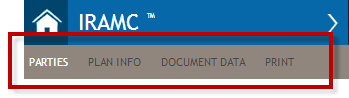

This menu appears only while working with a transaction. It serves as a visual sequential
order of working with a transaction as well as allows you to navigate to an individual page
within a transaction by clicking on the individual items.
Note:
- The application contains an auto-save feature that automatically saves your data when you move between pages of the Transaction Workflow.
- If you attempt to close the transaction without recent changes being saved, a warning message is displayed, prompting you to save your changes.