The Plan Info page allows you to associate specific plan information to an account.
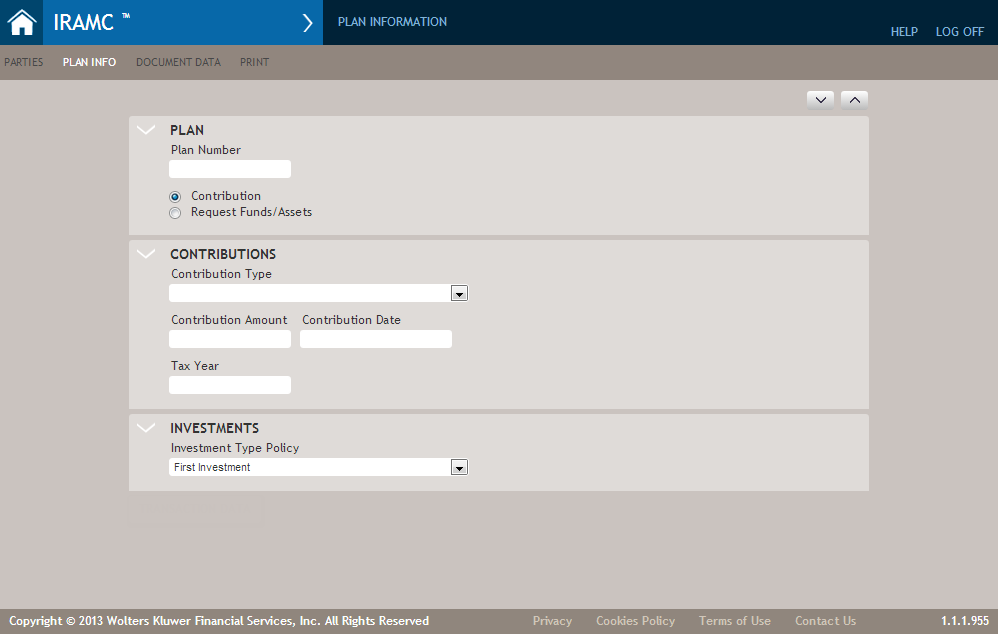
The following table describes the less common features of the Plan Info page.
| Feature | Description |
|---|---|
| Contribution Type | Allows you to select a type of Contribution. The options within this list varies, depending on the Plan Type selected. |
| Contribution Amount | Enter a monthly Contribution Amount. If you enter 200, for example, the application saves and displays the data as 200.00 when you move to another field. |
| Contribution Date | Click in the Contribution Date field to display a calendar from which you can select the desired date. |
| Distribution Type (not shown above) | The Distribution Type list is filtered based on the IRA owner’s age as well as the
Distribution Date, not just the account holder’s age. The Distribution Date is important
because it influences the distribution list when account owner attains age 59½ on the date
that the distribution is occurring. In that case, the list reflects the second category
where the owner is older than 59½ years of age. For a Traditional plan type, note the
following regarding the IRA owner's age:
Note: If the plan type is Traditional, the Age 59½ or older option is
unavailable.
For a Roth plan type, note the following regarding the IRA owner’s age:
|
| Tax Year | Enter the tax year for which the contribution is made. |
| Investment Type Policy | Select an Investment Type Policy. The list that appears is from all policies configured for your system by the administrator. For more information, refer to Policies. |
| Request Funds/Assets | Allows you to select which type of fund or asset to request, including:
|