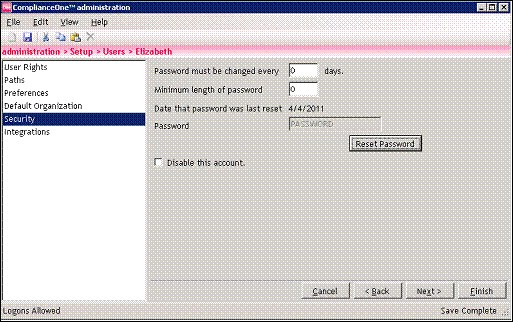
1. Select Users on the Setup tab in administration.
2. Double-click the user's name.
3. Select Security in the left navigator.
4. Clear the check mark next to the Disable this account option if applicable.
5. Click the Reset Password button to set the temporary password to Password.
6. Click the Yes button on the confirmation window.
7. Click the Save button at the top of the window.
8.  Verify that Save Complete displays in the status bar in the bottom-right corner.
9. Click the Finish button.
The user will use Password as their temporary password the next time they log on. They will be prompted to change the temporary password.