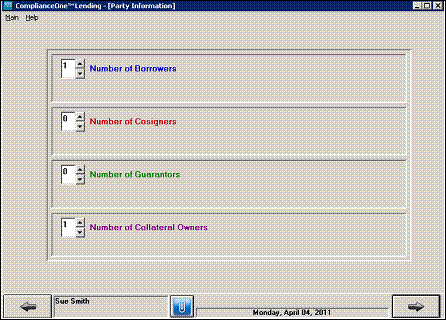
1. Begin and complete a loan until you reach the Party Information window.
2. Complete the Party Information window including entering the number of collateral owners.
3. Click the Forward Arrow button and enter information about the collateral owners.
4. Continue completing the loan until you reach the Collateral description area in the Loan Definitions section.
5. On the Collateral description window, check the Borrower does not own this collateral option.
6. Select the name of the collateral owner(s) from the drop-down list(s).

If you need to change the number of collateral owners or the collateral owner(s) do not display in the drop-down list, click the Define Collateral Owners button.
n Review and change the number of collateral owners if applicable.
n Review, change, or add information for each collateral owner.