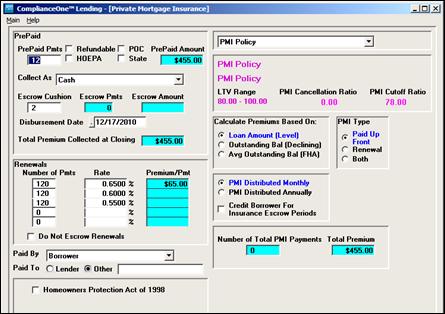
1. Complete a loan until you reach the Loan Definition. Complete the Loan Definition information. In Real Estate collateral, include the Sales Price and/or Appraisal Amt options. The lesser of the two values will be used to calculate the Loan to Value ratio (LTV).
2. Open Calculations. Select one of the following payment structures.
n Mortgage
n Balloon Mortgage
n Inhouse Mortgage
n Inhouse Balloon Mortgage
3. In the Proceeds and Fees area, complete the Amount Requested option. After entering this amount, the LTV displays at the bottom of the window.
4. If the LTV percentage triggers one of your PMI plans, check the PMI box that displays. Click the PMI button.
5. Enter the appropriate information for the transaction. If escrowing PMI, remember to enter the amount in the Escrow Cushion field. The PMI escrow information will appear on the PrePaids tab and will print on the Escrow Account Disclosure document.
6. Click the Escrow button on the Proceeds and Fees window and review the information for the escrow account.
7. Complete the loan.
You must set up at least one PMI plan in the administration function of ComplianceOne before adding PMI to a transaction.