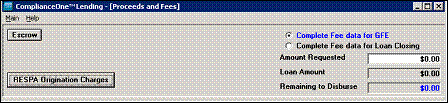
1. Click the RESPA Origination Charges button on the Proceeds and Fees window.
2. Select the The Lender will waive or pay fees option.
3. Complete the other information.
4. Click OK.
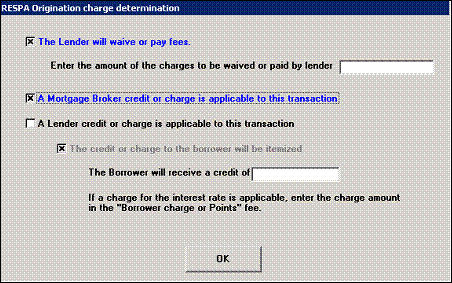
n If a credit is entered for Lender waived/paid fees, and either a credit or charge is also entered, the values will be totaled and the resulting credit or charge will print in Block 2 of the RESPA Good Faith Estimate as applicable.